
Enable notifications
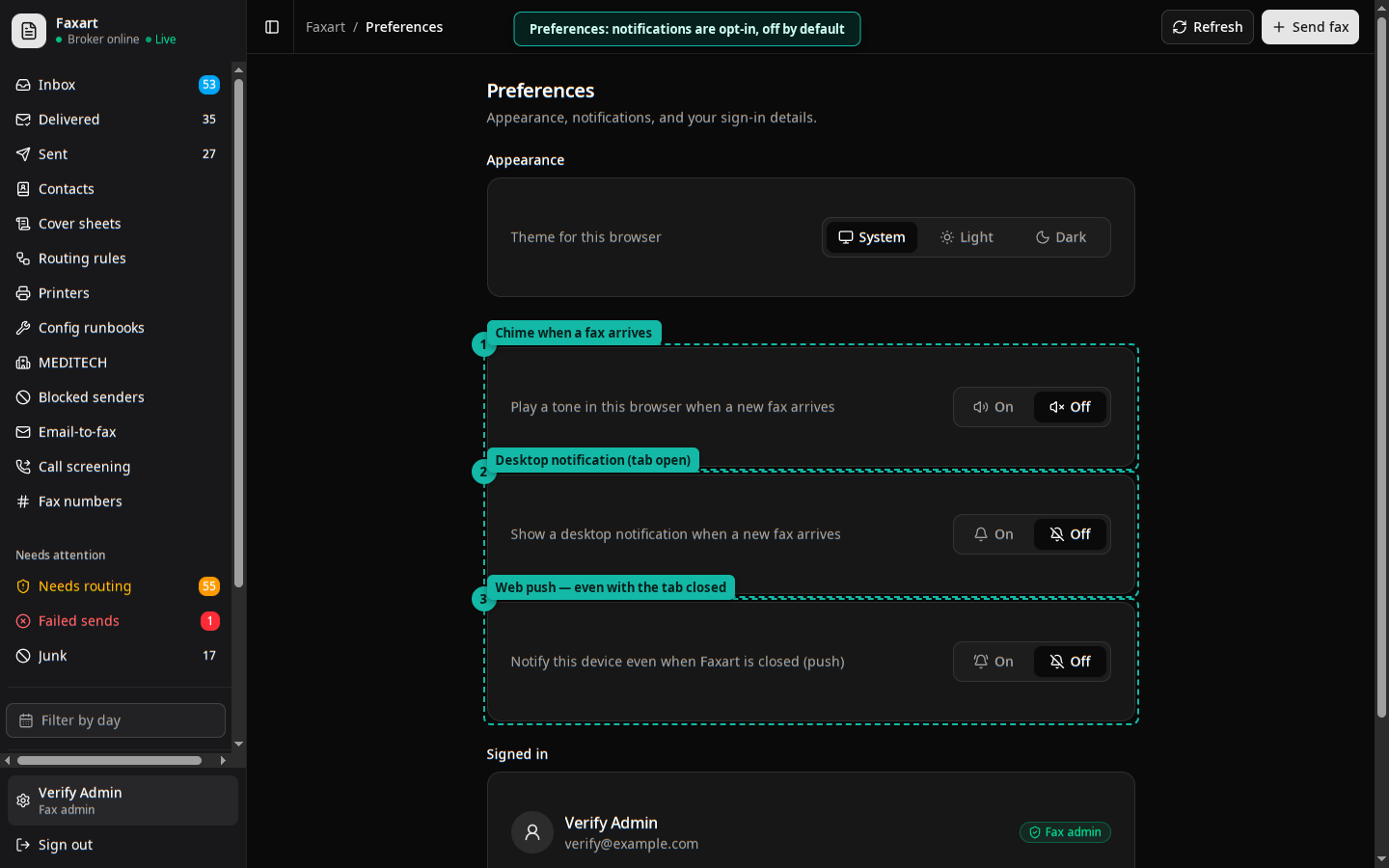
Faxart can tell you when something new arrives. There are three layers, all opt-in and off by default, set in Preferences. A new inbound fax or voicemail can raise an in-app toast, play a chime, pop a desktop notification, and (if the server is configured for it) push to your device even when the tab is closed.
The layers
Section titled “The layers”| Layer | What it does | Needs |
|---|---|---|
| In-app toast | A banner while the app is open | nothing |
| Chime | A short sound on arrival, throttled so a burst doesn’t spam | opt in |
| Desktop notification | A system notification while the tab is open | browser permission |
| Web push | Notifies you with the tab closed | server VAPID keys |
The toast, chime, and desktop notification fire from the live updates connection the moment a never-before-seen item arrives. Web push is the only one that reaches you when Faxart isn’t open in a tab.
- Open Preferences.
- Turn on the chime and/or desktop notifications (the browser will ask permission for the latter).
- For tab-closed push, enable web push. This subscribes your browser; the option only appears when the server has push configured.
Privacy
Section titled “Privacy”Push payloads are PHI-free, they tell you something arrived, not what. You open the app to see the content, where the access is audited.
For operators
Section titled “For operators”Web push needs a VAPID key pair on the server (VAPID_PUBLIC_KEY /
VAPID_PRIVATE_KEY). Without them the app simply doesn’t offer the push option;
the other three layers still work.