
Favorite printers and drag-to-print
If you print faxes often, favorite the printers you use so they are one click away, pick a default, and drag a fax straight onto a printer to print it.
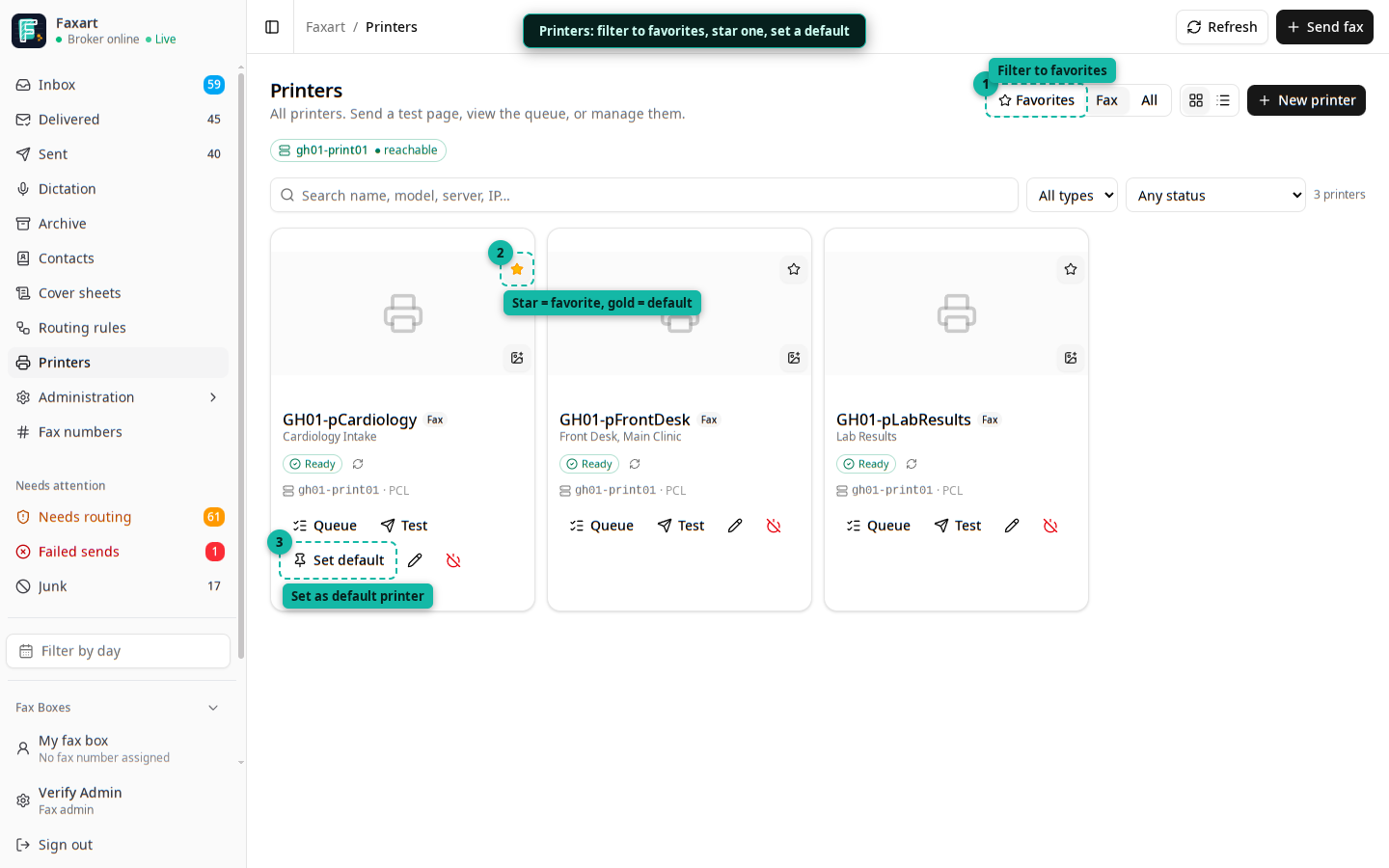
The Printers tab, with the favorites filter (1), the gold default star (2), and the Set default action (3) called out.
Favorites and a default
Section titled “Favorites and a default”- In Printers, star the printers you use. They appear under a ★ Favorites scope.
- Set one as your default (the amber badge). Setting a default also favorites it and clears any previous default, so you always have exactly one.
You can only favorite printers you have access to (the printers your boxes route to); admins can favorite any.
Drag-to-print
Section titled “Drag-to-print”The Inbox shows a Quick print dock of your favorite printers (the default pinned). Drag a fax from the list onto a printer to print it. While you drag, the dock highlights to show it’s a drop target. This is desktop-first; on mobile, open the fax and use the print button.
Click-to-print from a preview
Section titled “Click-to-print from a preview”When you open a fax, the preview has a split Print button: the left side prints to your default printer in one click; the caret opens your other favorites to pick a different one. It hides itself if you have no favorites yet.
What happens
Section titled “What happens”Each of these creates a print job that the print worker submits to the printer’s queue. A printed job is recorded as a PRINT disclosure in the audit trail, the same as any other way a fax reaches paper.