
Write a routing rule
Routing rules decide where an inbound fax goes. They are written as plain-English prompts, not condition trees, so non-technical staff can author them. This guide writes one and tests it before it goes live.
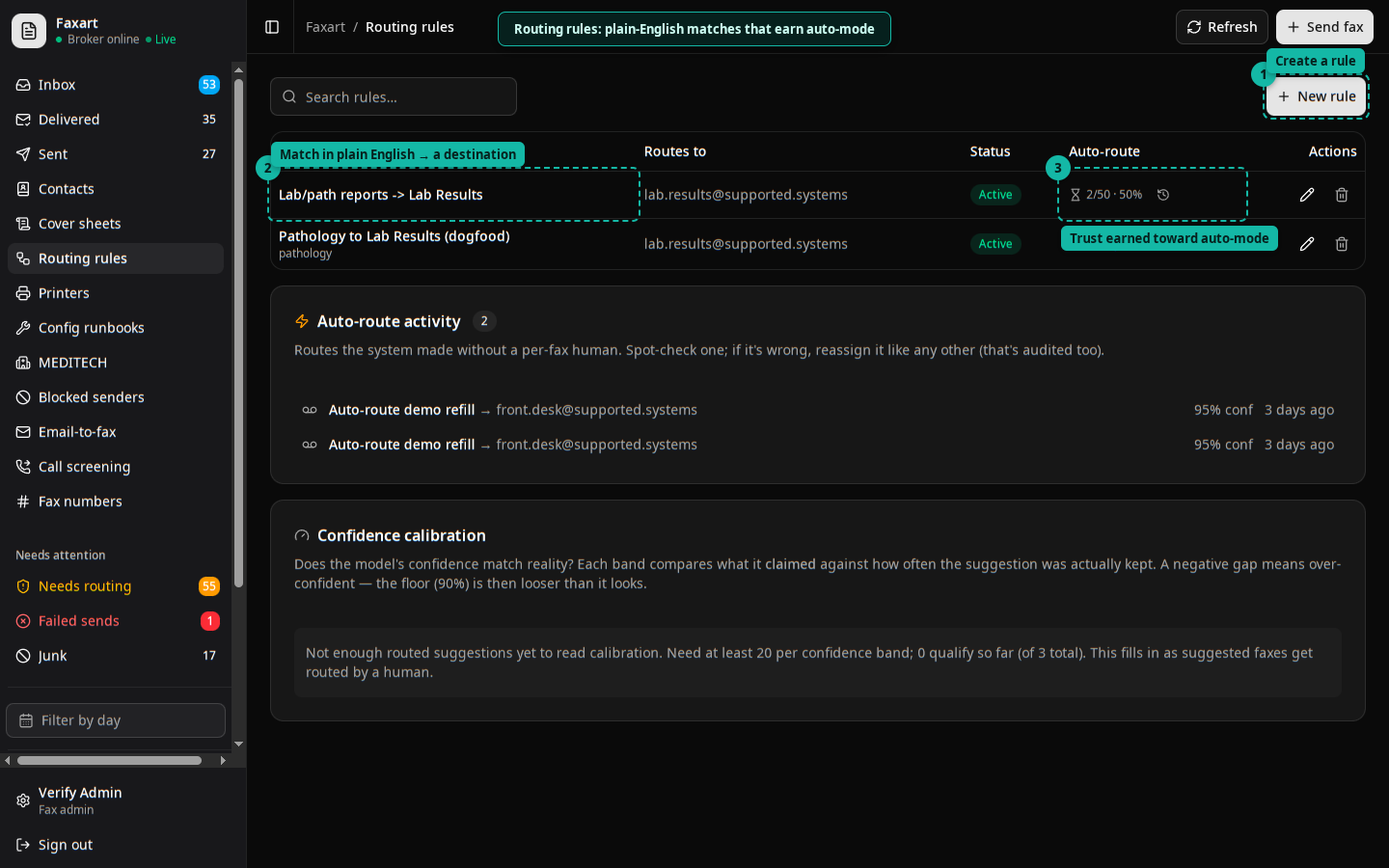
Route a specific kind of fax (say, pathology reports from a particular lab) to the right destination automatically, with a person still confirming before anything files to a chart.
- Open Rules in the web app and choose New rule (or right-click a received fax and pick Create rule from this fax, which pre-fills context).
- Describe the match in plain language. For example: “When you see a pathology report from Acme Labs, extract the clinic and patient ID and route it to the pathology queue.”
- Optionally attach an example fax and note the sender number. Show, don’t tell: examples sharpen the match.
- Set the destination.
- Use Test against recent faxes to preview which of your recent inbound faxes this rule would have matched. Adjust the wording until the preview looks right.
- Save. The rule applies to future inbound faxes.
What happens next
Section titled “What happens next”A matching fax gets a suggested route into the review queue. A person approves or overrides it. Overrides are recorded; that record is what later lets a rule earn auto-mode.
Good to know
Section titled “Good to know”- Rules change where a fax routes. They never change how a filed document is structured; that mapping is owned separately by your informatics team.
- Baseline classifiers (junk, cover sheet, priority) run on every fax regardless of your rules, so you are layering on top of those signals.